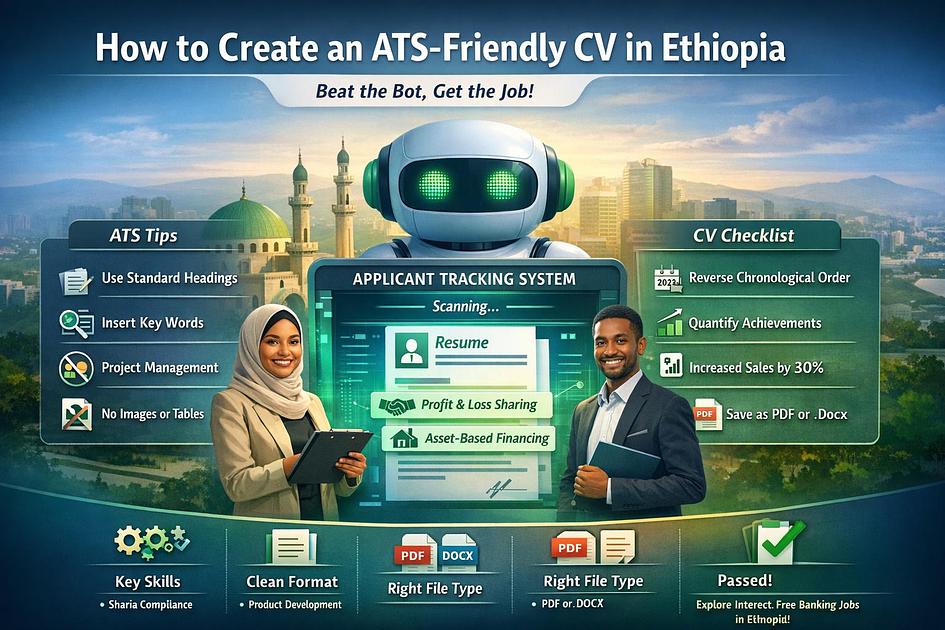
CV Secrets: How to Pass the ATS for Ethiopian Employers (2026 Guide)
Introduction
In 2026, applying for a job in Addis Ababa is no longer as simple as emailing a PDF. For high-volume employers like Safaricom Ethiopia, international NGOs, and major private banks, the first "person" to read your CV isn't a person at all—it's a computer program called an Applicant Tracking System (ATS). If your CV isn't formatted correctly, it may be automatically rejected before a recruiter ever sees your name. Here is how to build a CV that beats the bot and lands you the interview.
1. What is an ATS and Who Uses It in Ethiopia?
An ATS is a software used by HR departments to collect, sort, and rank thousands of applications. It searches for specific keywords, dates, and titles to see if you match the job description.
- Major Users: Most UN agencies (WFP, UNICEF), international NGOs (Save the Children, IRC), multinational companies (Safaricom, Heineken), and increasingly, the digital recruitment departments of large Ethiopian banks.
2. The "Golden Rules" of ATS Formatting
To a computer, a "fancy" CV looks like a mess of broken code. To stay safe, follow these formatting rules:
- Use Standard Headings: Stick to "Work Experience," "Education," and "Skills." Don't get creative with titles like "My Professional Journey."
- Avoid Tables and Columns: ATS software often reads across the entire page. If you use two columns, it might merge the text, making your CV unreadable to the system.
- Stick to Clean Fonts: Use web-safe fonts like Arial, Calibri, or Roboto. Avoid decorative fonts that the software might not recognize.
- No Images or Icons: Do not include a photo of yourself, star-ratings for your skills, or logos of your previous employers. These "graphics" can confuse the ATS and lead to an error.
3. The Power of Keywords
The ATS is essentially a search engine. When a recruiter looks for a candidate, they type in keywords like "Project Management," "SQL," or "Audit."
- How to Find Keywords: Read the "Requirements" section of the job posting on etcareers.com. If the employer mentions "Stakeholder Engagement" three times, that exact phrase must appear in your CV.
- Don't Overdo It: "Keyword stuffing" (listing a word 50 times) will be caught by the human recruiter later. Use the keywords naturally within your bullet points.
4. Use the "Reverse-Chronological" Format
The ATS is programmed to look for your most recent experience first.
- The Structure: Start with your current or most recent job and work your way back. Always include the Month and Year for your start and end dates. Without dates, the system cannot calculate your "Years of Experience," which is a primary filter for most recruiters.
5. Focus on Achievements, Not Just Duties
Recruiters (and advanced AI-driven ATS) look for results.
- Bad Example: "Responsible for managing a team."
- Good Example: "Managed a team of 10 to increase sales by 25% within the first six months of 2025."
- Numbers are Key: Use percentages, ETB amounts, or timeframes. Numbers stand out to both the software and the human eye.
6. File Type Matters: PDF vs. Docx
While most modern ATS can read PDFs, some older systems used by local NGOs still prefer .docx (Microsoft Word) files.
- The Advice: Unless the job posting specifically asks for a PDF, a standard Word document is often the "safest" choice for compatibility. If you do use a PDF, ensure it was exported directly from Word or Google Docs—never upload a scanned image of a printed CV.
Final Checklist Before You Click "Apply"
- Match the Title: If the job is for a "Senior Accountant," make sure your professional summary uses that exact title.
- Standard Margins: Keep 1-inch margins on all sides.
- No Header/Footer Info: Do not put your contact information in the "Header" section of Word; some ATS software cannot "see" text inside headers.
Is your CV ready for the test? Browse our latest vacancies and try out your new ATS-friendly resume on etcareers.com today!